Chrome extension · outgoing messages only
Your messages.
Your clean slate.
Count every outgoing message in the Instagram conversation you choose, review the total, then unsend with visible progress and a stop button always within reach.
- Runs locally
- No analytics
- No message storage
Count first

Unsendthis chatOutgoing messages only
D
Open conversationDemo conversation@demo_account
Locked
53Messagesready
Chrome briefly shows a debugging banner while Unsend runs. Access is released automatically.
✓ I understand these messages can’t be restored.
Unsend 53 messages
Count before action ✦ Stay locked to one chat ✦ Stop at any time ✦ Private by design ✦
A deliberate three-step flow
Nothing disappears
before you’re ready.
The extension separates scanning from unsending, so you can understand the scope before making a permanent change.
01
Open one chat
Choose a specific Instagram Direct conversation. The extension detects its identity and locks the run to that thread.
02
Scan and count
It scrolls upward, loads older history, and counts only outgoing messages. Scanning never removes anything.
03
Confirm and unsend
Review the total, select your pacing, acknowledge the permanent action, and watch progress message by message.
instagram.com/direct/t/demo
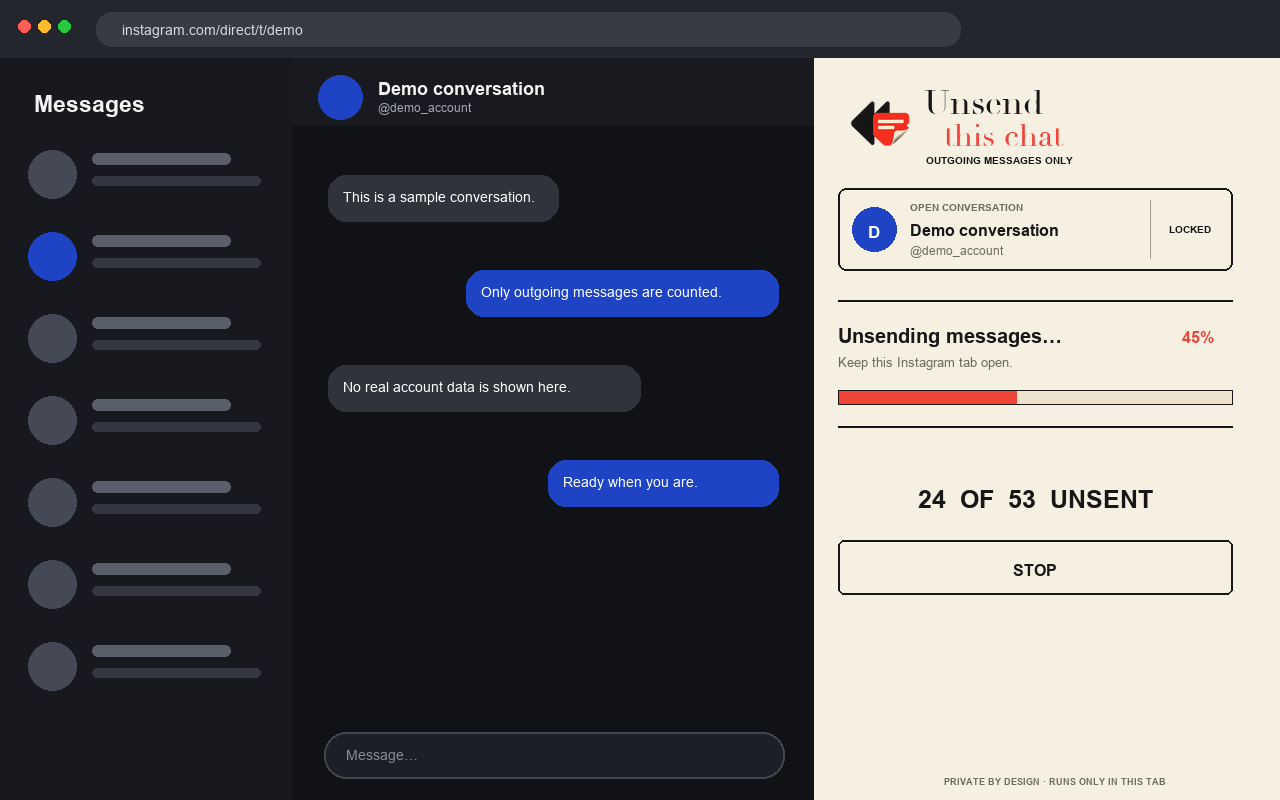
Visible progress
Know where the run stands.
A live counter and progress bar stay visible while the extension works. If Instagram changes or the selected chat changes, the run stops instead of continuing somewhere unexpected.
Read troubleshooting guidance →
Privacy without fine print
The conversation stays in your browser.
No backendThere is no developer-operated server receiving your conversations.
No credentialsThe extension never asks for or stores your Instagram password.
No trackingNo advertising, analytics, tracking pixels, or remote code.
Temporary accessTrusted pointer control is released when a run finishes, stops, errors, or the tab closes.
Read the full privacy policy
Quick answers
Before you press Unsend.
Can an unsent message be restored?
No. Instagram’s Unsend action is permanent. The extension requires a count and confirmation before it begins.
Does it remove the other person’s messages?
No. The workflow identifies and operates only outgoing message rows associated with your profile.
Why does Chrome show a debugging banner?
Instagram reveals each message menu only after trusted pointer input. Chrome shows the banner while that temporary access is active.
Does the extension send my messages anywhere?
No. Conversation information is processed transiently in the open Instagram tab and is not transmitted to the developer or a server.
BH
Built and maintained by
Bukhtyar Haider
Independent developer and maintainer of Unsend This Chat for Instagram. The extension and its privacy practices are open for anyone to inspect.
Independent and open source
Clear the messages you sent—carefully.